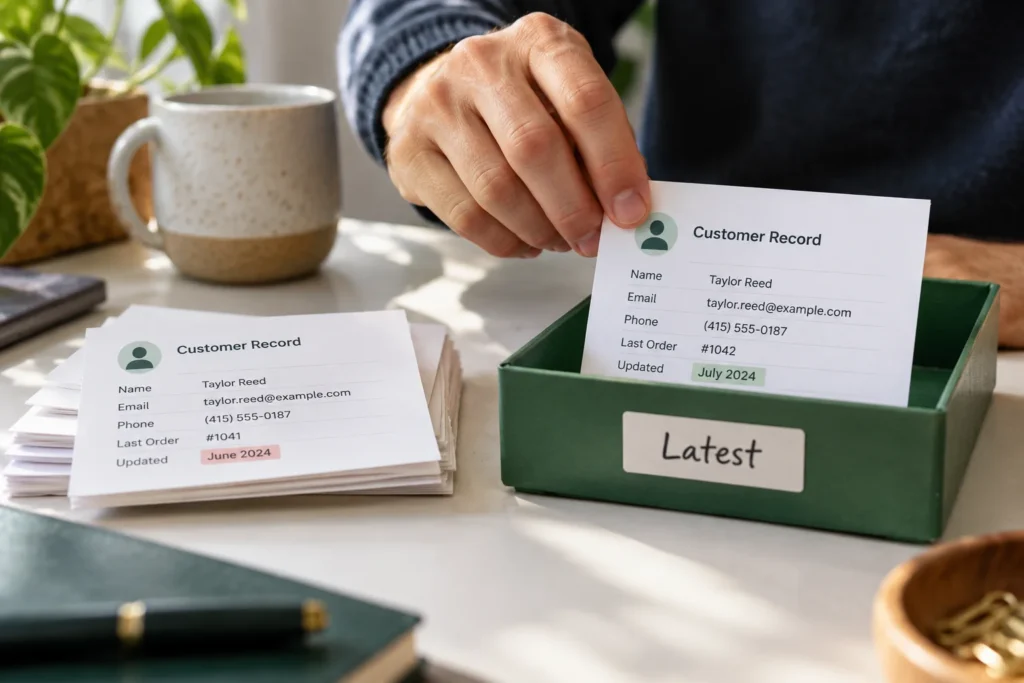
Quick answer: To remove duplicates in Google Sheets and keep the latest record, first decide what identifies a duplicate, sort the complete table by a real date column from newest to oldest, and keep the first occurrence of each key. Work on a copy so you can check which records were removed.
Practical example & checks
Practice data: keep the newest record without splitting a row
Paste this small table into A1:C5 in a new Google Sheet. Format the dates as actual dates before sorting.
| Updated | Status | |
|---|---|---|
| ada@example.com | 2026-10-01 | Old brief |
| ben@example.com | 2026-10-02 | Waiting |
| ada@example.com | 2026-10-03 | Approved |
| cy@example.com | 2026-10-02 | New |
- Copy the source to a working tab.
- Sort the entire A:C table by Updated, newest first, with the header identified.
- Use Data → Data cleanup → Remove duplicates and identify duplicates by the Email column only.
- Check that Ada’s retained row contains 2026-10-03 and Approved.
Expected result: one Ada, one Ben and one Cy record. If duplicate emails have the same latest timestamp but conflicting statuses, stop and define a tie-break rule instead of deleting one arbitrarily. Keep the source tab until the result is accepted. Example domains are placeholders, not contacts to email.
Original ThinkQuarry teaching material added 19 October 2026. Hypothetical examples are not product-test results.
A contact list can contain two rows for the same person with different notes or dates. Removing identical rows will not necessarily solve that problem: the rows are different, even though the person is the same. This guide uses an email address as the matching key and a review date to decide which record wins.
Decide what “latest” means before deleting anything
Latest might mean newest submission, last verified email address, or most recent order. Those are different events. Write the rule above your working table. A useful example is: “Keep the row with the newest verification date for each normalized email address.” If a new row has fewer details, decide whether you want to keep it or merge useful information from the old row.
| Reviewed | Note | Decision | |
|---|---|---|---|
| hello@example.com | 2026-09-12 | Old contact | Review for useful notes |
| hello@example.com | 2026-10-01 | New contact | Keep newest record |
| sales@example.org | 2026-09-20 | Separate address | Keep |
Create a reviewable workflow
- Duplicate the tab and name the copy Dedup review. Keep the source tab untouched.
- Add a stable record ID if you do not already have one. A manually assigned ID makes it easier to trace a row after sorting.
- Assume email is in A and review date is in B. In a helper column such as E, enter
=LOWER(TRIM(A2))and fill down. This is your matching key. - Check that B contains actual dates. Date-looking text can sort incorrectly. Correct ambiguous dates before continuing.
- Select every related column, including E. Use Data → Sort range → Advanced range sorting options, mark the header row, and sort by B descending.
- In F2 enter
=IF(E2="","REVIEW",IF(COUNTIF($E$2:E2,E2)=1,"KEEP","REVIEW")). Fill down. - Filter F to REVIEW. Compare repeated keys and preserve any notes you still need before removing rows.
The expanding COUNTIF range marks the first key as KEEP and later occurrences as REVIEW. Since the newest rows are now first, the kept occurrence follows your date rule. Blank keys are deliberately sent to review instead of being treated as one giant duplicate group.
Check three edge cases
Equal dates: Choose a second rule, such as keeping the highest record ID or the most complete row. Apply that secondary sort before generating the KEEP flags. Otherwise “latest” is undecided.
Different people on one domain: Do not deduplicate by domain unless your goal is one row per organization. Two addresses at example.com can belong to different contacts.
Hidden whitespace: LOWER and TRIM handle common capitalization and spacing differences. They do not repair every invisible character or prove that two addresses belong to one person. Review suspicious records rather than silently rewriting them.
When the built-in Remove duplicates tool is enough
Google’s cleanup tool lets you choose the columns used for matching and specify a header row. It is useful when you have a clear matching rule. The helper-column method adds an audit trail before deletion, which matters when different duplicate rows contain different information.
After cleanup, record the starting row count, retained row count and number of reviewed duplicates. Check a few known repeated keys against the source tab. Keep a dated copy of the output if other work depends on this list.
Common questions
Why does UNIQUE still show duplicate contacts?
UNIQUE can return distinct whole rows. If dates or notes differ, those rows are distinct. Decide which column represents identity before comparing records.
Can I use these formulas with semicolons?
Some spreadsheet locales use semicolons between arguments. Replace the formula’s argument separators if Sheets reports a parsing error; keep punctuation inside quoted strings unchanged.
Should I delete old rows immediately?
Review them first when they contain notes, invoices or contact history. Keeping the newest row and preserving history are separate decisions.
Before sorting your live list, read our guide to sorting Google Sheets without mixing rows. For a reusable working folder, see our simple digital file system.
Sources and further reading
Prepared by ThinkQuarry. Documentation checked 3 October 2026. Menu labels may vary by version. Featured image: original AI-generated photographic concept created for ThinkQuarry. This editorial visual is not a product screenshot.