 Ideas for a smarter digital life.
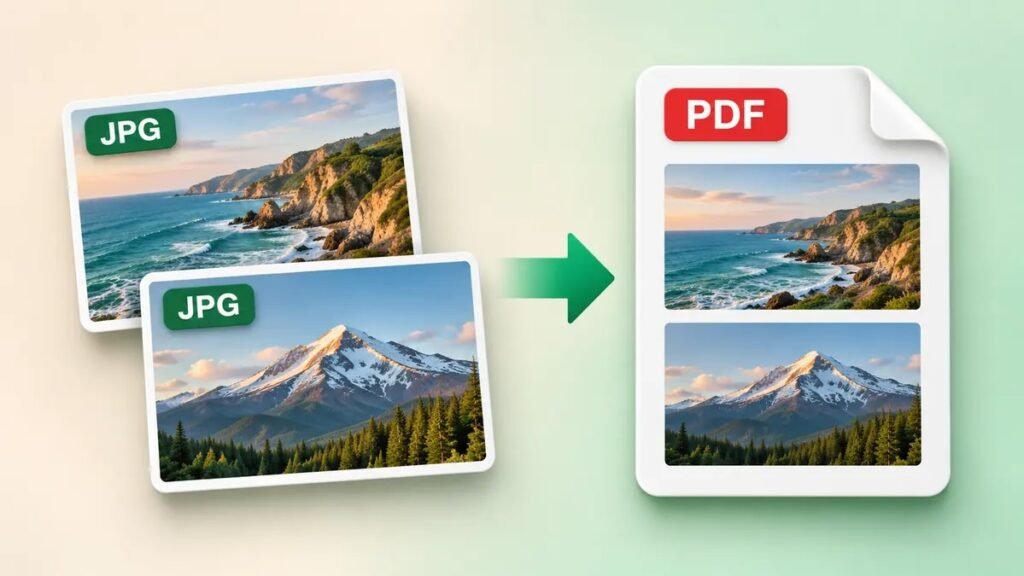
Quick answer. On Windows, open the JPG and print to
Microsoft Print to PDF. On a Mac, open it in Preview
and export it as a PDF. For several images, use a method that lets you
arrange the pages before saving. Use a local method for receipts, ID
scans, or files you prefer to keep on your device.
Choose the right JPG to PDF
method
| If you need to… | Start with… |
|---|---|
| Save one picture as a PDF on Windows | Microsoft Print to PDF |
| Convert a JPEG on a Mac | Preview’s Export menu |
| Save one JPG on an iPhone | Preview’s Export menu, where available |
| Make a PDF from an Android photo | Save as PDF in an app that offers Print |
| Combine several pictures and set their order | A converter with a page preview and reorder controls |
How to convert JPG to PDF
on Windows
- Open your JPG in Photos and press Ctrl + P. If the
app uses a different shortcut, look for Print in its
menu. - Choose Microsoft Print to PDF in the printer
list. - Select the paper size requested by the recipient and check the
orientation. If the preview cuts off an edge, select a fit option or try
a different layout. - Select Print, choose a folder, and name the file.
Open the PDF to confirm the entire image is visible.
A receipt is a good test. Check the total and the bottom line of text
in the finished PDF. If either is clipped, change the print layout and
save again from the original JPG.
How to make a JPEG into
a PDF on a Mac
- Open the JPEG in Preview.
- Choose File → Export.
- Set Format to PDF and choose a
filename and folder. - Save the PDF and reopen it to check the image.
Preview is a convenient option for a single image. If you need a
specific paper size for printing, check the layout before sharing the
document. Apple’s
Preview format guide
How to save
a picture as a PDF on iPhone or Android
iPhone
On iPhones with the Preview app, open the image in
Preview, tap the menu next to the filename, and choose
Export. Select PDF, choose a folder,
and save. Open the output from that folder to make sure you are viewing
the PDF copy. Apple’s
iPhone export guide
Android
Open the JPG in a photo or file app and look for
Print in its menu. If the print screen offers
Save as PDF, select it, check the preview, and save the
file. Print support varies by app. If your source is still on paper, you
can start directly with the ThinkQuarry
guide to scanning multiple pages into a PDF on Android.
How to combine
multiple JPGs into one PDF online
Choose a JPG to PDF converter that supports multiple images and lets
you preview their order. Some browser tools upload the files to a
server. Check how the converter processes files before using it for
personal or work documents. Adobe’s JPG to PDF
tool · iLovePDF’s
image-to-PDF tool
- Add the JPG files you want in the PDF.
- Arrange the thumbnails in reading order. For a three-page form,
check that the cover comes first and the signature page comes last. - Check the orientation and margins. Select one image per page if the
recipient needs each image on a separate page. - Choose the option to merge the images into one PDF, then download
it. - Open the file and check the page count and the first and last
pages.
If you later need to send just one section, follow the guide to
splitting or removing PDF pages.
Fix cropped
images, large files, or unreadable text
- Cropped edges. Use a fit option in the print
preview and check all four edges before saving. Portrait orientation
often suits tall documents such as receipts. - Large file. Try resizing a copy of each source
image before converting. If the photos contain fine print, check that it
stays readable at normal viewing size. ThinkQuarry’s Image Compressor and
Resizer - Text won’t copy. A PDF made from photos usually
contains images of the words. Use OCR if you need searchable or
selectable text. ThinkQuarry’s
Google Drive OCR guide
Frequently Asked Questions
Can I
convert a JPG to PDF for free without uploading it?
Yes. Use Microsoft Print to PDF on Windows or export the image from
Preview on a Mac. Choose a local folder if you want the file to stay on
the device.
Are JPG and JPEG
the same for this conversion?
Yes. The two extensions refer to the same image format, so the same
conversion steps apply.
Can I put several JPGs into
one PDF?
Yes. Use a converter with a merge option. Arrange the thumbnails
first and verify the final page order after downloading.
Why is the PDF
larger than the original JPG?
The output size depends on how the software embeds and compresses the
image. Combining several photos also increases the amount of image data
in the file. Check the size of the finished PDF against the upload
limit.
Can I turn the PDF
pages back into JPGs?
Yes. Export each PDF page as an image if you need to share the pages
separately. ThinkQuarry PDF to JPG
Converter