 Ideas for a smarter digital life.
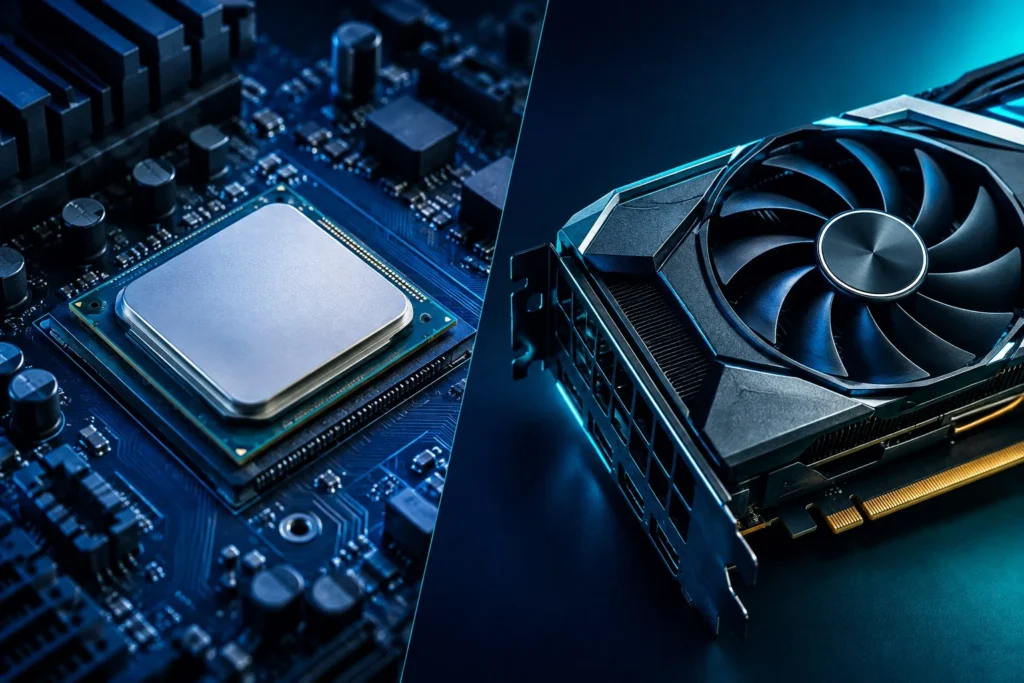
The CPU handles general-purpose computing and tasks that need quick, flexible instructions; the GPU is optimized for graphics and many similar calculations performed in parallel. Neither is universally faster. The right choice depends on whether you are gaming, editing videos, running AI models, or simply using a computer for everyday work.
A powerful graphics card cannot solve every CPU limitation, and an expensive CPU cannot always deliver the rendering performance of a capable GPU. This comparison explains the architecture, real-world performance, bottlenecks, AI workloads, and practical upgrade decisions without treating benchmark results as universal.
CPU vs GPU: Key Differences at a Glance
The main difference is the type of work each processor is designed to complete efficiently. CPUs emphasize flexible instructions and low latency, while GPUs emphasize high throughput when many operations can run together.
| Feature | CPU | GPU |
|---|---|---|
| Full name | Central Processing Unit | Graphics Processing Unit |
| Primary purpose | General computing and system control | Graphics and parallel computation |
| Core design | Fewer, complex cores optimized for flexible work | Numerous smaller processing units for suitable parallel tasks |
| Key strength | Low latency and complex instructions | High throughput |
| Memory | Processor caches and system RAM | Dedicated VRAM or shared memory |
| Gaming | Game logic, simulation, instructions | Rendering, textures, lighting, effects |
| AI | Preprocessing, control, smaller model inference | Accelerated training and inference |
| Everyday tasks | Essential | Integrated graphics usually suffice |
Modern CPUs can perform parallel operations, and GPUs can execute general-purpose compute programs. Their strengths are relative rather than absolute. Compare the time a processor takes to complete a specific job, not just its specification sheet.
What Is a CPU and What Does It Do?
A CPU is the computer’s main general-purpose processor; it executes instructions and coordinates essential software operations. It manages operating-system services, application logic, calculations, and many tasks that make software feel responsive.
Opening an app, compiling code, processing database queries, and calculating spreadsheet formulas all involve CPU work. Some applications distribute tasks across many cores; others are limited by the speed of a single busy thread.
Why CPU performance matters
CPU performance depends on architecture, clock speed, instructions per cycle, cache, memory performance, and how software uses the available cores. More cores do not automatically mean better performance in every application.
A processor with fewer but stronger cores can beat a many-core processor on a task that cannot be divided efficiently. Conversely, software compilation, rendering, and other well-parallelized jobs may benefit substantially from more CPU cores.
Where CPUs are especially useful
- Operating systems, browsers, and office applications
- Complex program logic, databases, and software development
- Game logic, physics, and simulation
- Coordinating storage, memory, and graphics
- Smaller AI inference workloads and data preprocessing
What Is a GPU and Why Is It Different?
A GPU accelerates graphics and computations that can be divided into large numbers of similar operations. Its design can process many parts of a suitable workload concurrently, rather than optimizing primarily for a few complex instruction streams.
A game scene contains textures, geometry, lighting, shadows, and effects that need repeated mathematical calculations. The GPU handles much of this rendering work; modern GPUs can also accelerate selected video, 3D, and AI operations.
Sequential vs parallel processing
Sequential work often involves steps that depend on earlier results. Parallel work can distribute many independent or similar calculations across available processors. GPUs are particularly efficient when the workload supplies enough parallel work to keep their units busy.
That advantage is not free. Preparing a GPU workload and moving data between memory areas may introduce overhead. Small, irregular, or dependency-heavy tasks can run more efficiently on a CPU.
CPU cores vs GPU cores
A GPU advertised with thousands of processing units is not thousands of times faster than a CPU with eight cores. The two resources differ in design, scheduling, and capabilities; even their clock speeds are not directly interchangeable. The practical benchmark is completion time on an actual task.
CPU vs GPU for Gaming: Which Matters More?
The GPU usually matters most for demanding graphics, while the CPU matters for game logic, frame preparation, and sustaining high frame rates. Depending on the game and settings, either processor can limit performance.
The CPU processes player input, simulation, and work needed to submit frames. The GPU renders the visible images. If one component cannot keep up, faster hardware elsewhere may provide little benefit.
1080p vs 1440p vs 4K gaming
| Scenario | Typical priority | Why |
|---|---|---|
| 1080p competitive gaming at high FPS | Strong CPU and balanced GPU | High frame rates increase CPU-side work |
| 1080p with demanding effects | Often GPU | Visual effects can remain expensive |
| 1440p gaming | Balanced CPU and GPU | Greater graphics load while CPU still matters |
| Native 4K gaming | Often GPU | Rendering more pixels raises GPU work |
| Simulation and strategy titles | Often CPU-sensitive | Complex game simulation |
| Ray-traced games | Often GPU-heavy | Demanding lighting effects |
These are tendencies, not fixed laws. Upscaling can reduce rendering cost even when the screen shows a 4K image, exposing an existing CPU limitation. Likewise, a demanding graphics preset can keep a GPU busy at 1080p.
What independent benchmark testing shows
In a 2024 investigation of CPU and GPU upgrade combinations, Tom’s Hardware reported that pairing an RTX 4080 with an older Core i7-8700K could significantly limit game performance compared with a newer CPU. Reported losses reached roughly 40% at 1080p, 33% at 1440p, and 10% at 4K in the tested configurations. These numbers are specific to those games, settings, and systems; they are not expected losses for every PC.
Read the original Tom’s Hardware CPU/GPU benchmark investigation for test conditions. A separate CPU-scaling investigation with DLSS explains why upscaling can alter bottlenecks.
Why average FPS is not the whole story
Average FPS describes frame output over time, but frame-time consistency affects whether gameplay feels smooth. Two computers can report similar averages and still feel different because of stutters or poor lower-percentile frame rates. CPU limits can contribute, but shader compilation, low system RAM, VRAM pressure, storage access, and background processes can also be responsible.
CPU Bottleneck vs GPU Bottleneck
A CPU bottleneck limits the rate at which work reaches the graphics processor; a GPU bottleneck limits the speed at which graphics can be rendered. The limiting component can change between games, resolutions, and even scenes.
Possible signs of a CPU bottleneck
- One or more CPU threads remain highly occupied
- GPU utilization is unexpectedly low during an intensive scene
- Lowering rendering resolution gives little FPS improvement
- Simulation-heavy sections produce uneven frame times
Overall CPU utilization does not need to show 100%: one important thread can be fully occupied while other cores remain available.
Possible signs of a GPU bottleneck
- GPU processing utilization is consistently high
- Lowering rendering resolution substantially raises FPS
- Reducing shadows, ray tracing, or visual effects improves performance
High GPU utilization is not necessarily harmful. For an uncapped graphically demanding game, it may simply mean the graphics card is being used well.
A practical bottleneck test
- Choose a repeatable in-game scene and record average FPS and frame times.
- Monitor busy CPU threads, GPU activity, temperatures, and memory use.
- Reduce resolution or rendering scale while keeping other settings consistent.
- Compare results. A big FPS increase suggests graphics processing was limiting performance; little change suggests investigating CPU limits, frame caps, memory, and software overhead.
No single utilization figure conclusively identifies a bottleneck. Use more than one measurement before buying hardware.
CPU vs GPU for AI and Machine Learning
GPUs are often faster for neural-network training and demanding inference because many AI calculations can run in parallel. CPUs still handle model coordination, data preparation, smaller inference workloads, and tasks that cannot efficiently use GPU acceleration.
AI training vs AI inference
Training updates model parameters using data; inference uses a trained model to produce a prediction or response. Deep learning training frequently involves matrix and tensor operations that benefit greatly from GPU parallelism and supported acceleration hardware.
Inference does not always require a graphics card. Smaller or quantized models may run acceptably on a CPU, while larger models or high-throughput services often benefit from GPU acceleration.
| AI workload | CPU suitability | GPU advantage |
|---|---|---|
| Small ML model | Often sufficient | May be unnecessary |
| Data preprocessing | Frequently useful | Implementation-dependent |
| Deep-learning training | Possible, often slower | Typically substantial |
| Small local language model | Can be practical | Often faster inference |
| Large-model inference | Memory and speed constraints | Strong when sufficient memory is available |
| Batch inference at scale | Depends on requirements | Potentially higher throughput |
Why GPU VRAM matters for local AI
VRAM holds active data required by a discrete graphics processor, including model weights and other intermediate information. If a model and its working memory fit on the GPU, processing may be more efficient. When they do not fit, offloading to system RAM or CPU memory may reduce performance or exceed supported limits.
Precision, quantization, context length, and the inference runtime all influence memory requirements. A card marketed as excellent for gaming is not automatically best for every AI model.
For further context, read ThinkQuarry’s AI workloads guide on training versus inference and the companion explanation of open-weight AI models that can be deployed locally.
What about NPUs?
A Neural Processing Unit (NPU) is hardware built to accelerate supported AI operations, often with an emphasis on power efficiency. NPUs are increasingly present in laptops and mobile devices, but they do not replace the CPU or GPU. Software compatibility and actual workloads remain the deciding factors.
CPU vs GPU for Video Editing and 3D Rendering
Both the CPU and GPU influence editing and rendering speed, but which matters more depends on the application, footage, effects, and export settings. A GPU can accelerate supported visual operations, while CPU performance and available memory remain important.
Video editing in Adobe Premiere
Premiere uses GPU acceleration for supported effects, scaling, color processing, and related operations. Compatible hardware can also help encode and decode certain video formats. Straightforward cuts and complicated effect-heavy projects do not respond identically to a GPU upgrade.
A capable integrated media engine may also help handle supported codecs. Evaluate playback, export time, codec support, CPU performance, GPU capability, RAM, and storage together instead of assuming the highest-priced GPU must be best.
CPU vs GPU rendering in Blender
GPU rendering can be considerably faster for supported Blender Cycles scenes, but CPU rendering remains useful when memory capacity or compatibility becomes a limitation. Large textures and complex geometry may demand significant GPU memory. If the scene exceeds available resources, rendering may slow or fail, depending on the device and configuration.
Consult Blender’s GPU rendering documentation and Adobe’s GPU acceleration guidance before building a workstation for a particular workflow.
Integrated GPU vs Dedicated GPU
Integrated graphics are usually sufficient for browsing, office work, and everyday video playback; a dedicated GPU is generally preferable for demanding games and many professional graphics or AI workloads. The right choice depends on performance needs, battery life, and budget.
Integrated graphics share system memory and are often built into a processor. Dedicated GPUs are separate graphics processors, commonly with their own VRAM. Modern integrated graphics have improved considerably, so a separate card is not always necessary.
| Task | Integrated graphics | Dedicated GPU |
|---|---|---|
| Browsing and office apps | Usually sufficient | Typically unnecessary |
| Streaming video | Usually sufficient | Rarely essential |
| Casual gaming | Often suitable | Optional |
| Demanding modern games | Hardware-dependent | Usually preferable |
| 3D rendering and heavy AI | Often constrained | Frequently beneficial |
| Portable everyday laptop | Often power-efficient | May draw more power under load |
Should You Upgrade the CPU or GPU First?
Upgrade the GPU first when graphics processing is limiting the tasks you care about; upgrade the CPU first when processor-heavy tasks or CPU bottlenecks are the issue. Check performance measurements and total platform costs before purchasing either component.
When a GPU upgrade makes sense
- Games struggle primarily at demanding rendering resolutions or effects settings
- GPU-based rendering is important to your work
- A local AI application needs more GPU memory or supported acceleration
- Your CPU is already capable of feeding the intended graphics card
When a CPU upgrade makes sense
- Games are consistently CPU-limited despite adequate graphics hardware
- Simulation, compilation, or CPU-based calculations take too long
- Your current processor cannot meet important software requirements
CPU upgrades can require a compatible motherboard, RAM, and cooling. GPU upgrades may require a stronger power supply, appropriate connectors, and enough space in the computer case. Total upgrade cost matters more than a headline component price.
Hardware priorities by user type
| User | Practical priority |
|---|---|
| Student or office worker | Balanced CPU, adequate RAM, fast SSD; integrated graphics often enough |
| Competitive gamer | Strong gaming CPU and balanced GPU for target FPS |
| 1440p / 4K gamer | Capable GPU with suitable CPU |
| Video editor | CPU, GPU, RAM, and codec compatibility |
| 3D artist | GPU performance and VRAM, plus CPU and RAM |
| Software developer | CPU, RAM, and storage; GPU where the workload requires it |
| Local AI enthusiast | Software support, GPU compute, and memory capacity |
These are starting points. For instance, a developer training neural networks can need an expensive GPU, while another developer building websites may not need a dedicated graphics card at all.
Four Common CPU and GPU Buying Mistakes
1. Comparing core counts as if they were equivalent
CPU cores and GPU processing units are architecturally different. Their performance depends on the instructions, software, and type of work being measured.
2. Buying an expensive GPU for a CPU-limited game
A faster graphics card might yield little improvement when the CPU cannot prepare frames quickly enough. Test the real bottleneck first.
3. Ignoring VRAM and system RAM
Insufficient graphics memory can constrain games, 3D scenes, and local AI. System memory also influences large-file processing and multitasking.
4. Treating utilization as a benchmark score
High GPU utilization can be normal. Moderate overall CPU use can hide a saturated thread. Measure actual response times, FPS, frame times, and output quality.
Final Verdict: Is CPU or GPU More Important?
The CPU is fundamental for general-purpose computing; the GPU becomes especially important when graphics or parallel acceleration determine performance. Neither is universally better because they solve different problems.
For browsing and office work, a capable CPU with integrated graphics is often enough. For demanding gaming, a suitable GPU and responsive CPU work together. For AI, the balance depends on model size, acceleration support, and memory. For video editing or 3D rendering, the application and project are decisive.
The best computer is not necessarily the one with the most expensive processor. It is the one whose hardware fits the tasks you actually need to complete.
Frequently Asked Questions
Is a GPU faster than a CPU?
A GPU is often faster for suitable parallel workloads, such as graphics and many AI calculations; a CPU can be faster for low-latency or sequential tasks. Performance depends on hardware, software, memory, and the specific operation.
Can a GPU replace a CPU?
No, not in a conventional personal computer. The CPU still handles essential operating-system and application work. A GPU accelerates supported tasks alongside it.
Which matters more for gaming, CPU or GPU?
The GPU often matters more for demanding graphics, while the CPU becomes especially important for very high frame rates or complex simulations. Resolution, settings, game design, and target FPS determine the balance.
Does CPU performance affect GPU performance?
Yes. If the CPU cannot prepare work fast enough, a powerful GPU may be underused. This is commonly called a CPU bottleneck and may be noticeable in high-FPS games.
Can you run AI models without a GPU?
Yes. Smaller and optimized AI models can run on CPUs. Demanding training and inference often benefit substantially from supported GPU acceleration.
Is integrated graphics enough for programming?
Yes, for most web development and standard programming work. Dedicated graphics become useful for GPU computing, 3D development, and some machine-learning workloads.
Should I upgrade RAM, CPU, or GPU first?
Upgrade whichever component is limiting your actual workload; insufficient RAM can matter more than processor speed. Check resource use, memory pressure, and compatibility before buying.
Does a GPU improve video editing?
Yes, for supported effects, media operations, and rendering workflows. The benefit varies with footage formats, editing software, CPU performance, and memory.
Sources and Further Reading
The explanations above are informed by manufacturer documentation and independent benchmark reporting. Performance varies by hardware and configuration.