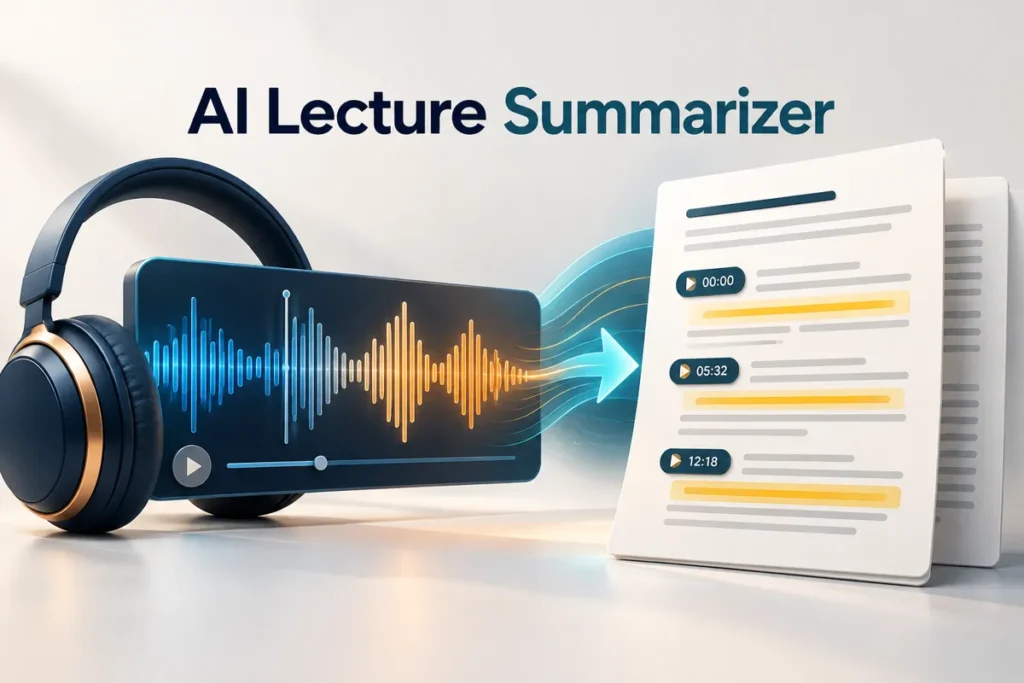
A lecture summary can save you from replaying an hour of audio just to find one explanation. It can also hide the sentence that changes the meaning of an entire topic. Use an AI lecture summarizer to make the recording easier to navigate, then verify the important passages.
Practical example & checks
A timestamped lecture sample and its verified summary
The short transcript below is fictional teaching material; timestamps are supplied, not estimated by an AI.
| Time | Transcript |
|---|---|
| 00:00 | Today we compare mean and median. |
| 00:20 | The mean uses every value: add them and divide by the count. |
| 00:50 | Sort values to find the median. For an even count, average the two middle values. |
| 01:20 | For 2, 4, 4, 10, the mean is 5 and the median is 4. |
| 01:50 | An extreme value can pull the mean more than the median. |
Finished summary: 00:20 defines the mean; 00:50 explains the median; 01:20 provides a checked example; 01:50 identifies sensitivity to extreme values. Practice: replace 10 with 30 and compare both statistics. Mean becomes 10; median stays 4.
Verification: All summary entries can be located in the supplied transcript. A sentence claiming the lecturer predicted an exam question would be unsupported. For your own lecture, use its actual timing and permission rules. Keep uncertain audio marked as uncertain rather than inventing a timestamp.
Original ThinkQuarry teaching material added 19 October 2026. Hypothetical examples are not product-test results.
The goal is a useful map of the lecture: major ideas, worked examples, uncertain passages and questions to revisit. It is not a replacement for every detail the lecturer discussed.
Get a usable transcript first
Only record or upload a lecture when you have the necessary permission and your institution allows it. If an official transcript is available, start there. Otherwise, use a permitted transcription method and keep the original recording.
Scan the text before summarizing. Look for missing sections, broken sentences and repeated words. Names, technical vocabulary and numbers need particular attention. An unclear recording can become a fluent summary that conceals the uncertainty.
Add the lecture title, date and associated slides. Keep the speaker's examples separate from your own comments. If several speakers are involved, preserve attribution when it matters to the meaning.
Use timestamps as a checking aid
Divide the lecture into manageable sections. Keep timestamps attached to the transcript rather than asking the AI to invent them after the fact. If the transcript has no timestamps, use paragraph numbers or section labels.
Try this prompt:
Summarize this lecture by topic. For each topic, list the main claim, the lecturer's example and any stated exception. Preserve the supplied timestamps or paragraph labels. Flag unclear text. Finish with three questions that require me to explain the material.
A good output tells you where to return. “The lecturer discussed limitations” is less useful than a note that identifies the limitation and points to the supplied passage.
Separate explanation from emphasis
Ask the summary to distinguish what was explained, what was repeated and what was explicitly described as assessment guidance. Repetition may signal importance, but it does not prove exam relevance.
Consider a lecture on research methods. The speaker might compare correlation and causation, show a scatterplot and warn that a relationship does not establish a mechanism. A weak summary could keep the chart and omit the warning. Your check should follow the argument, not just confirm that the topic names appear.
For equations, return to the slides or recording. Check symbols, signs and units. If the lecturer writes on a board that is not visible in the transcript, note that gap instead of letting the AI guess what was written.
Use the slides without losing the lecture
Slides often contain prompts rather than complete explanations. Compare them with the transcript. A heading such as “limitations” may refer to a discussion that only appears in the spoken material.
Create a short table with topic, slide or timestamp, useful note and unresolved question. Keep the unresolved questions visible. They are the places to ask a lecturer or classmate for clarification.
Our NotebookLM tutorial explains source-based organization. Use a tool only with formats it currently supports; if direct audio is unavailable, work from a transcript instead of forcing an unsuitable upload.
Convert the summary into practice
After reviewing the summary, close it and explain one idea in your own words. Then compare your explanation with the original passage. Ask for a different example only after the first explanation is correct.
Write down one question you could not answer, not ten pages of generated notes you will never revisit. If the summary identifies an important distinction, turn that distinction into a question. For example: “What evidence would be needed to support a causal claim?”
Keep the final notes editable. Correct transcription mistakes and add missing context directly. When revision time is limited, a short, checked summary is more useful than a long summary you have not read.
Frequently asked questions
Can an AI lecture summarizer work from slides alone?
It can summarize the slides, but it cannot reliably reconstruct spoken explanations that were never included.
Should I delete the recording afterward?
Follow your retention rules and permissions. Keep an authorized source available while checking the notes; a summary may omit something you need later.
Are generated timestamps reliable?
Use timestamps from the actual transcript or recording. Do not rely on invented timing estimates.
Can it identify likely exam questions?
It can suggest practice questions. Treat them as exercises, not predictions about the assessment.
What if the audio is unclear?
Mark the uncertain passage and revisit the source. If it remains unclear, seek clarification rather than accepting a confident guess.


